For M-Pesa and bank SMS · Android
Know where your money goes
Monetrax turns the M-Pesa and bank messages already on your phone into a clear money dashboard, with reports, budgets and bills. No bank login needed.
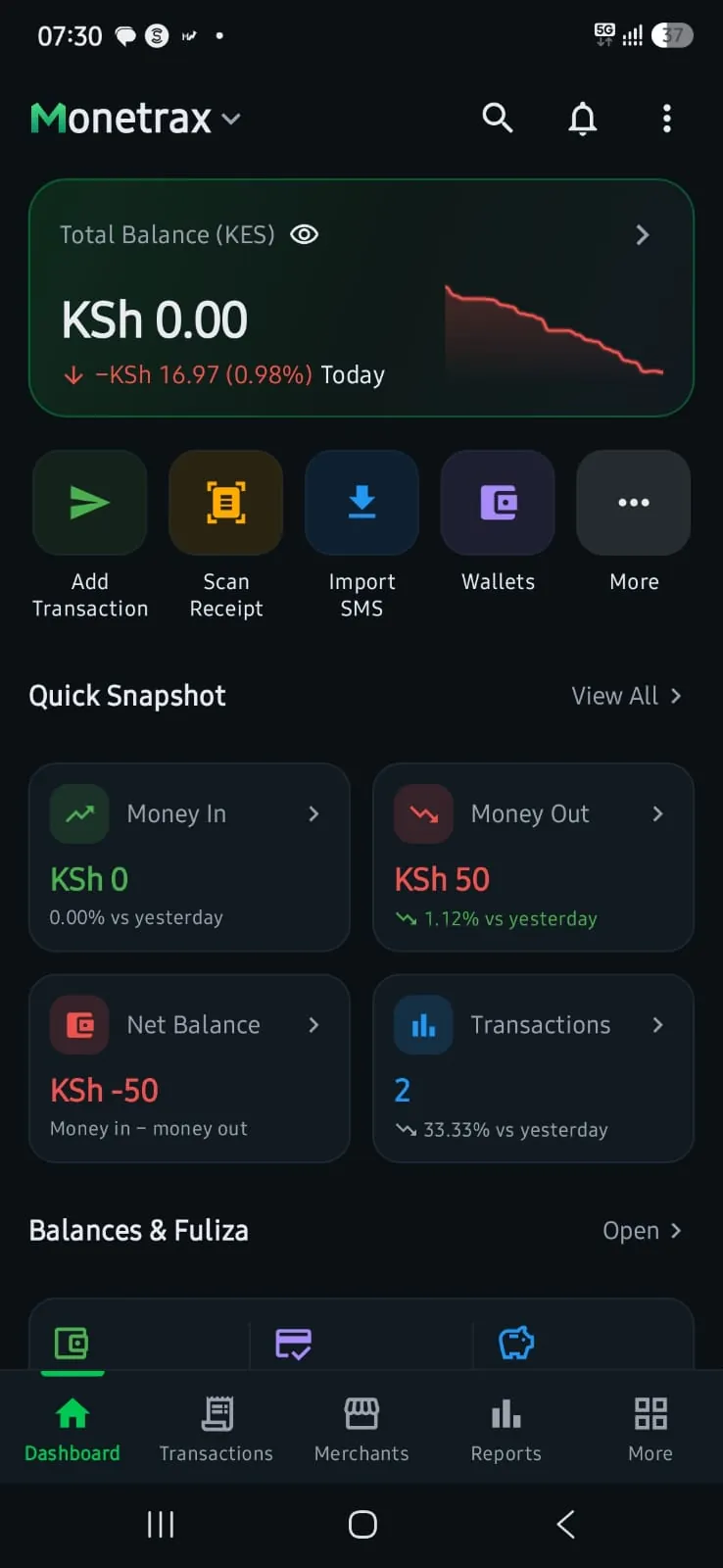
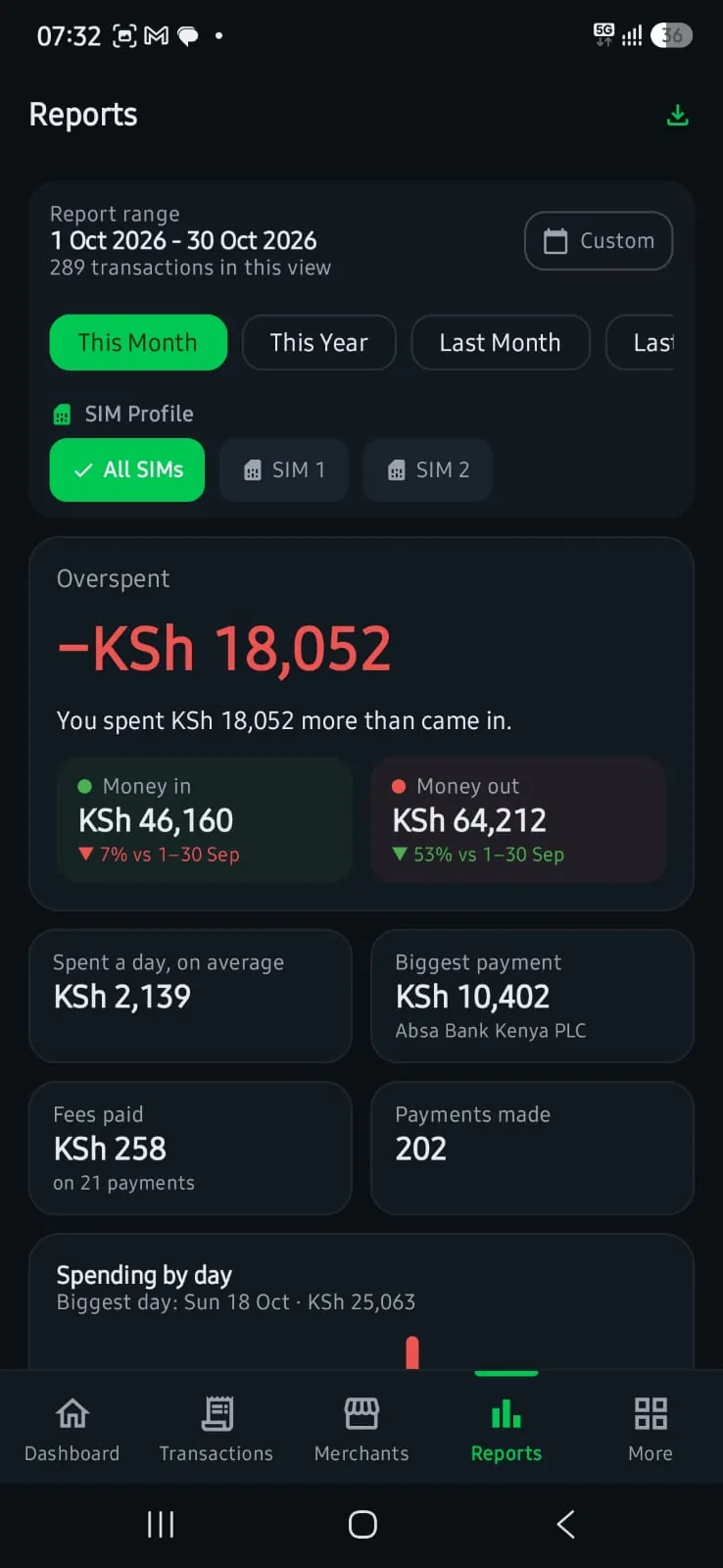

Every M-Pesa and bank message, turned into a clear picture of your money. Adverts, codes and fake texts are left out, so what you see is what really moved.
Read supported transaction messages
If you allow SMS access, Monetrax reads supported M-Pesa and bank transaction messages already on your phone and can notice new ones as they arrive.
Turn each message into a record you can use
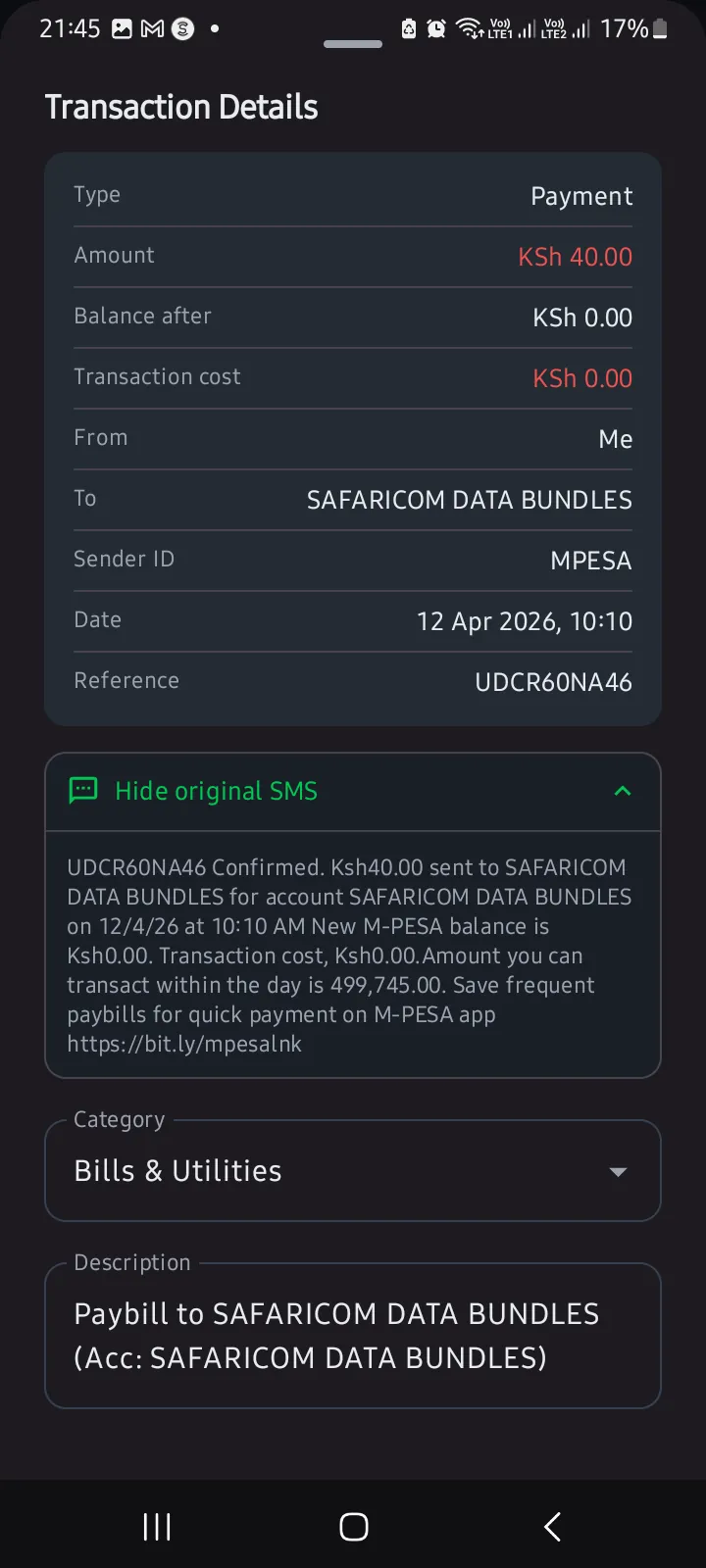
It pulls out the useful details like amount, date, merchant, balance, reference, and category so you do not have to read every message yourself.
Review everything in one place
You get a dashboard, reports, merchant views, budgets, alerts, exports, and privacy controls inside one Android app.
Dashboard
See today's money at a glance
Money in, money out and your balance, the moment each M-Pesa or bank message arrives. No more scrolling through your inbox to work out where it went.
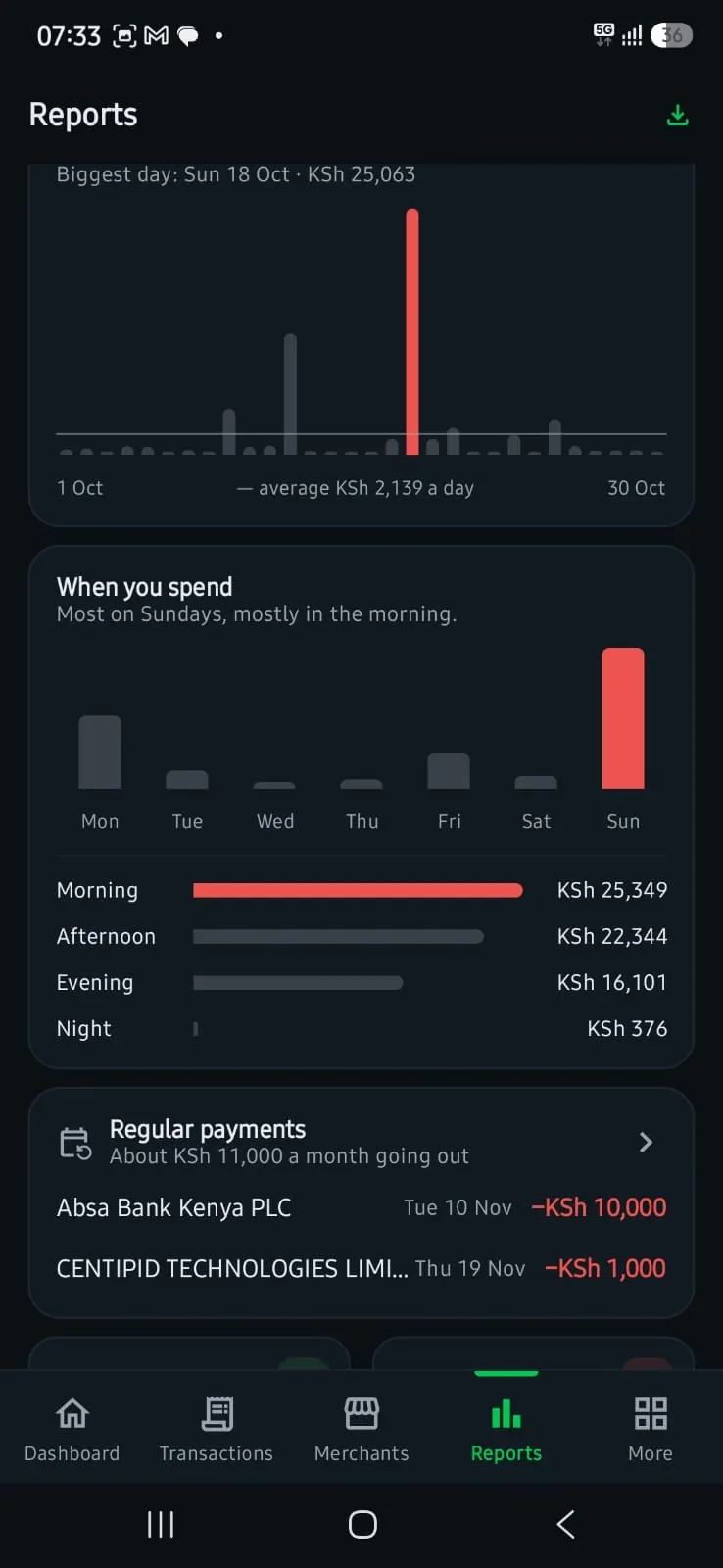
Reports
Reports that explain themselves
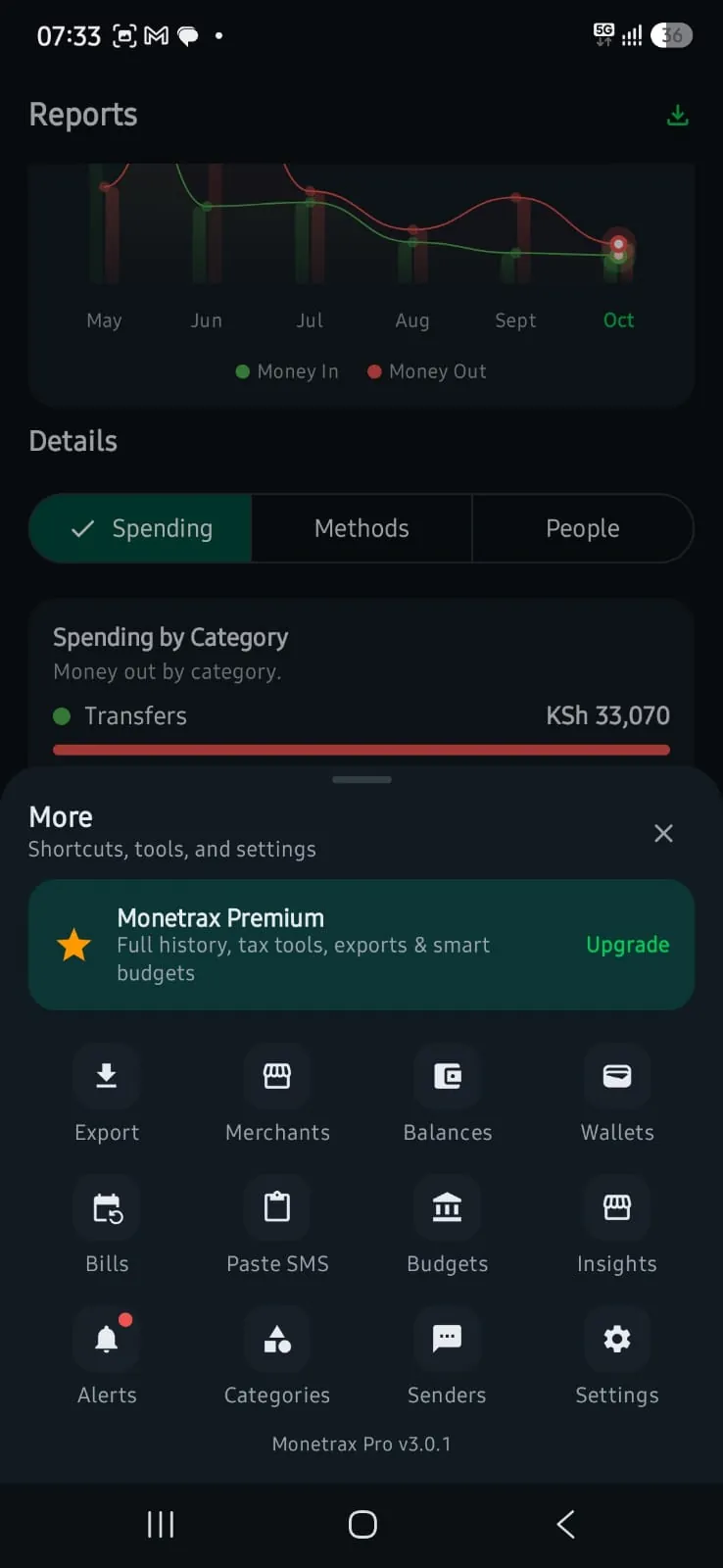
Pick any period and Monetrax tells you in one sentence whether you spent more than came in, then shows your biggest day and the days and times you spend most.
Budgets
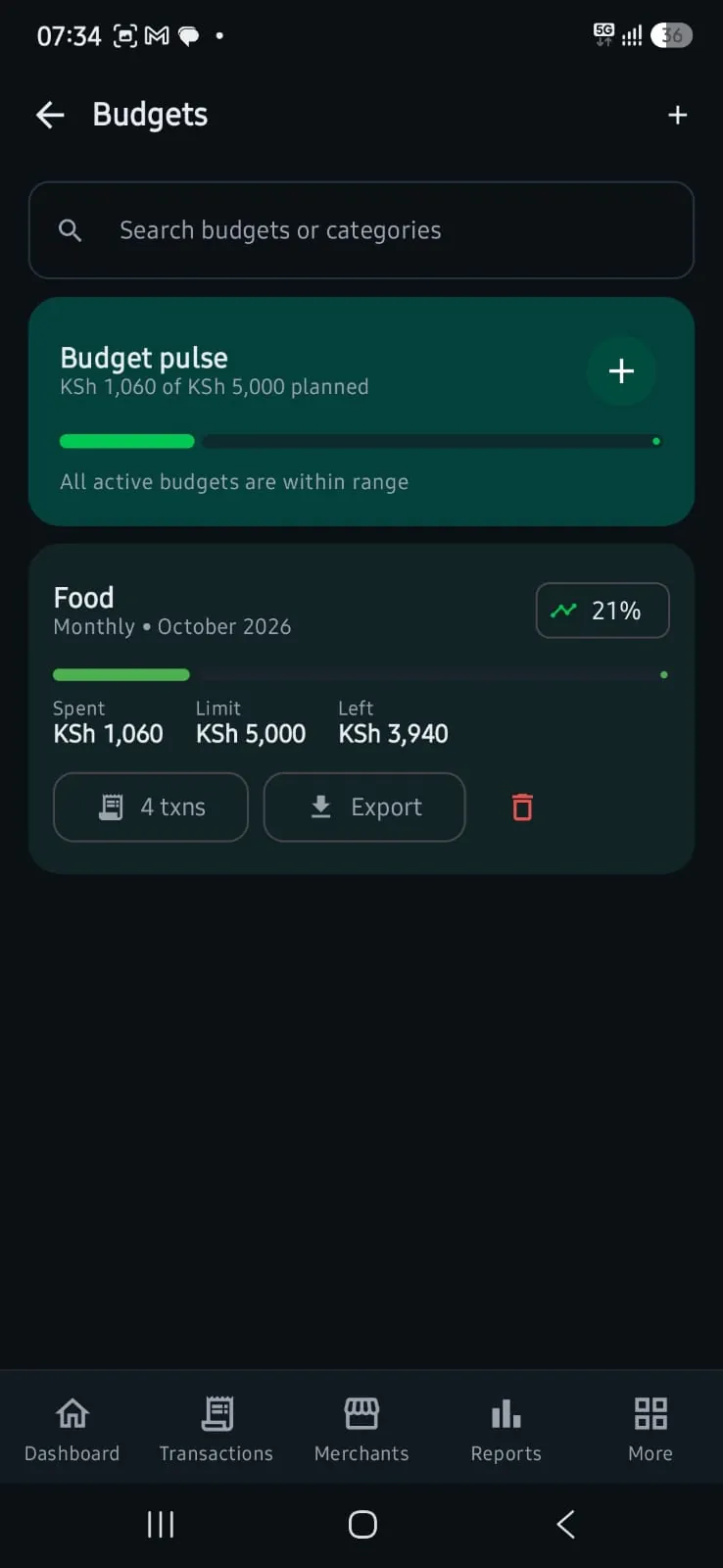
Know what you can spend today
Set a limit for food, transport or anything else. Monetrax shares what's left over the days left, tells you how much you can spend today, and alerts you the moment a day goes over.
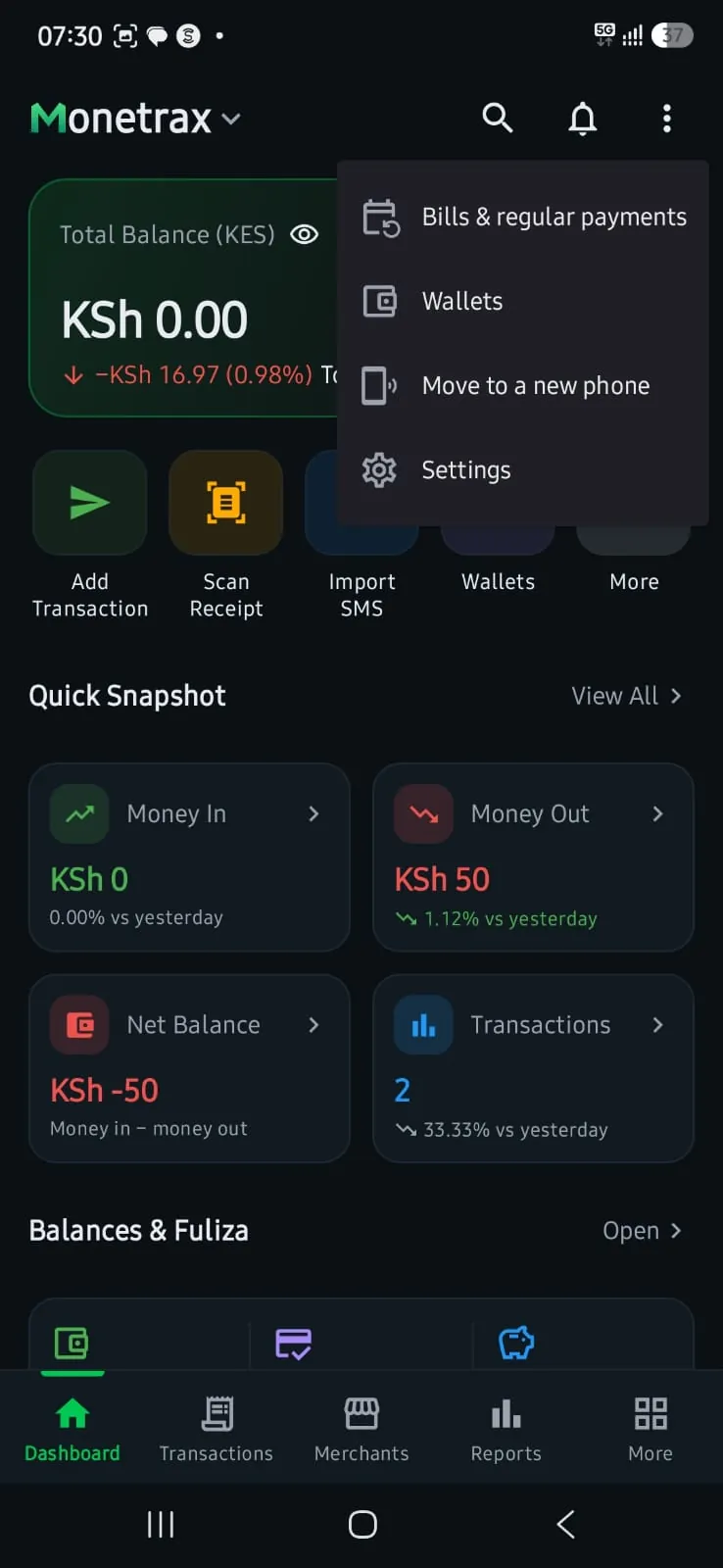
Bills and regular payments
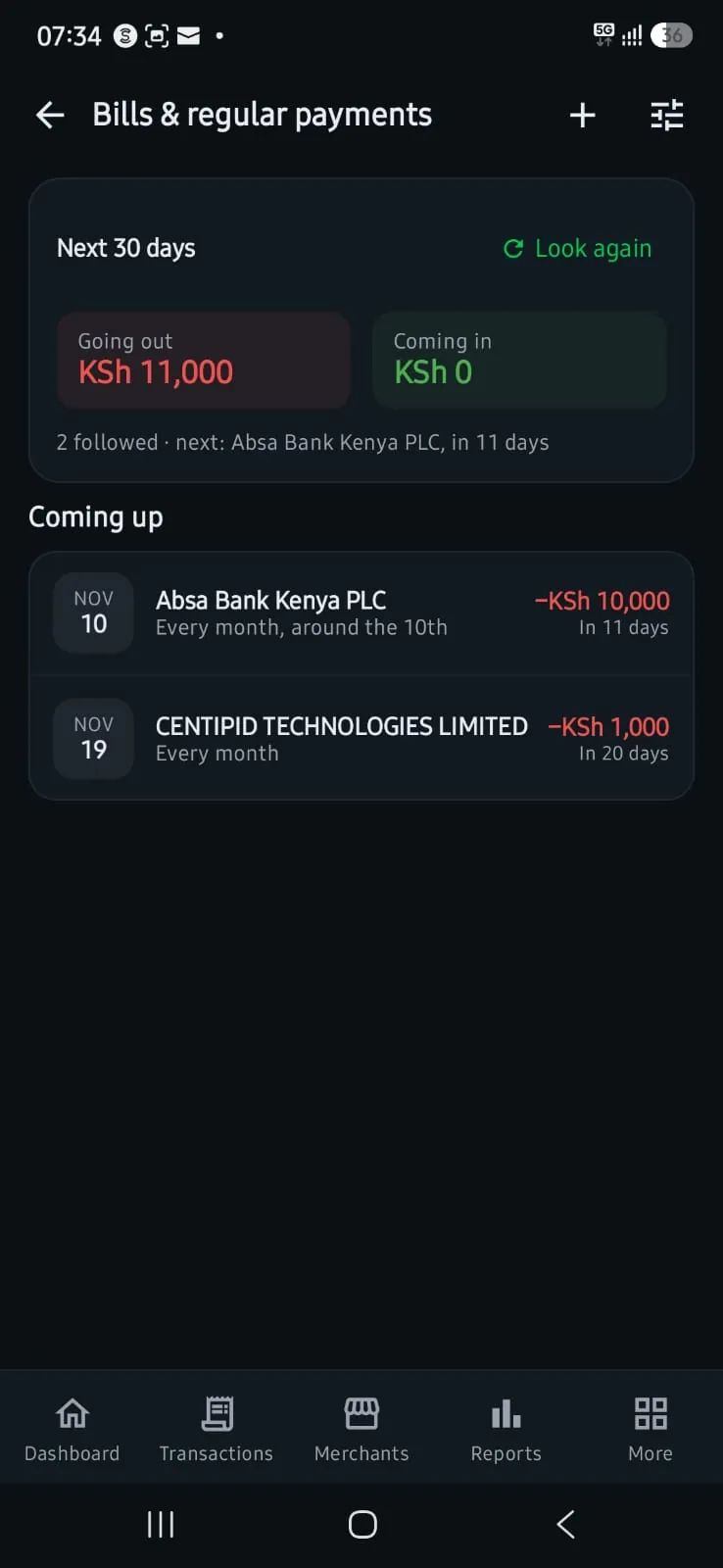
Know what's due before it's due
Monetrax finds the payments you make every month, shows how much is going out in the next 30 days, and can remind you a few hours or a week before each one.
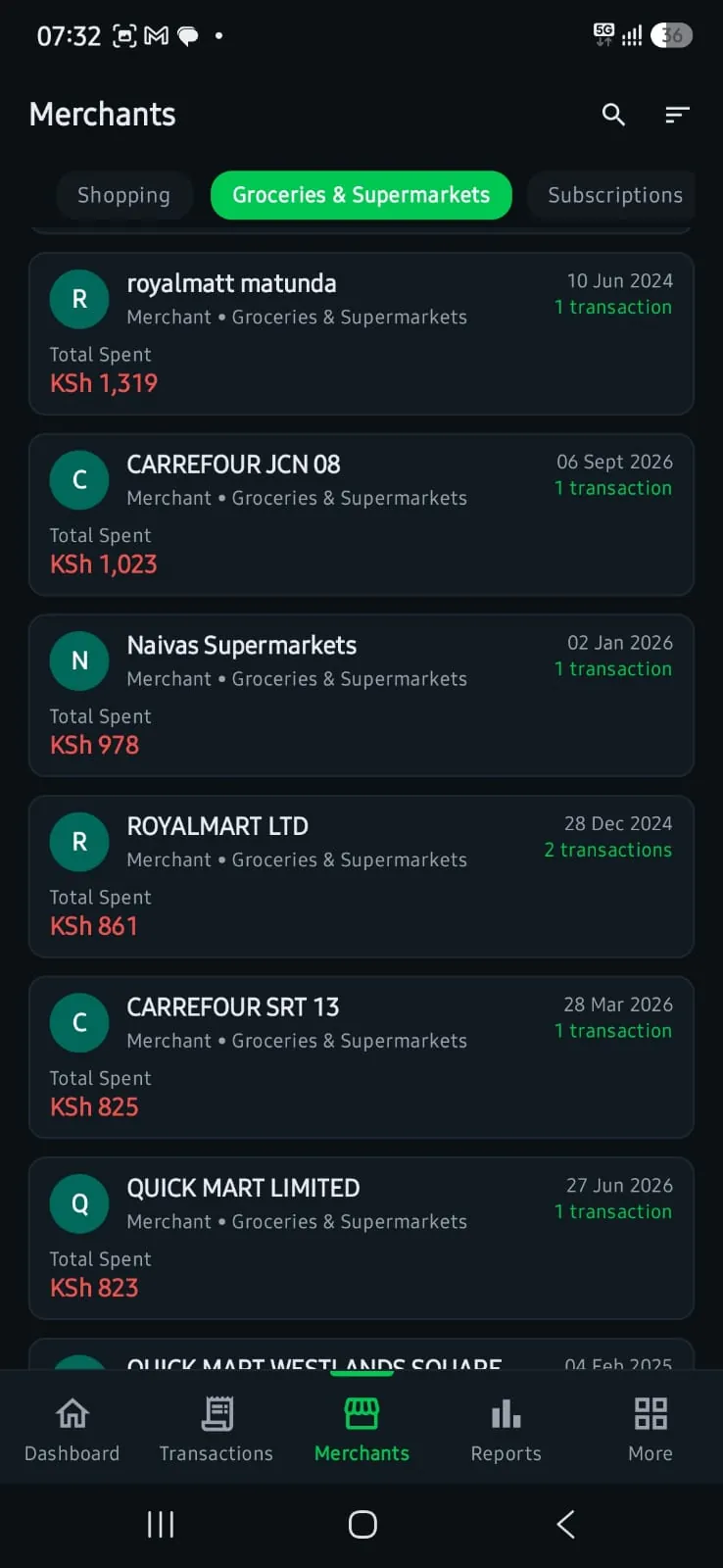
Merchants
See who gets your money
Supermarkets, fuel stations, landlords and the people you send to, grouped with what you've spent at each, and the category you chose remembered for next time.
Wallets and floats
Know where every shilling of a float went
Create a wallet for an office, a project or a driver. Record where each top-up came from, link spending to the real M-Pesa or bank payment, move money between wallets, and see what each one was used for.
Privacy
Your money stays on your phone
Stays on your phone
Your messages and transactions are stored on your device. Monetrax has no server copy of them.
No bank login
Monetrax reads the SMS your bank and M-Pesa already send you. It never asks for a PIN or password.
You're in control
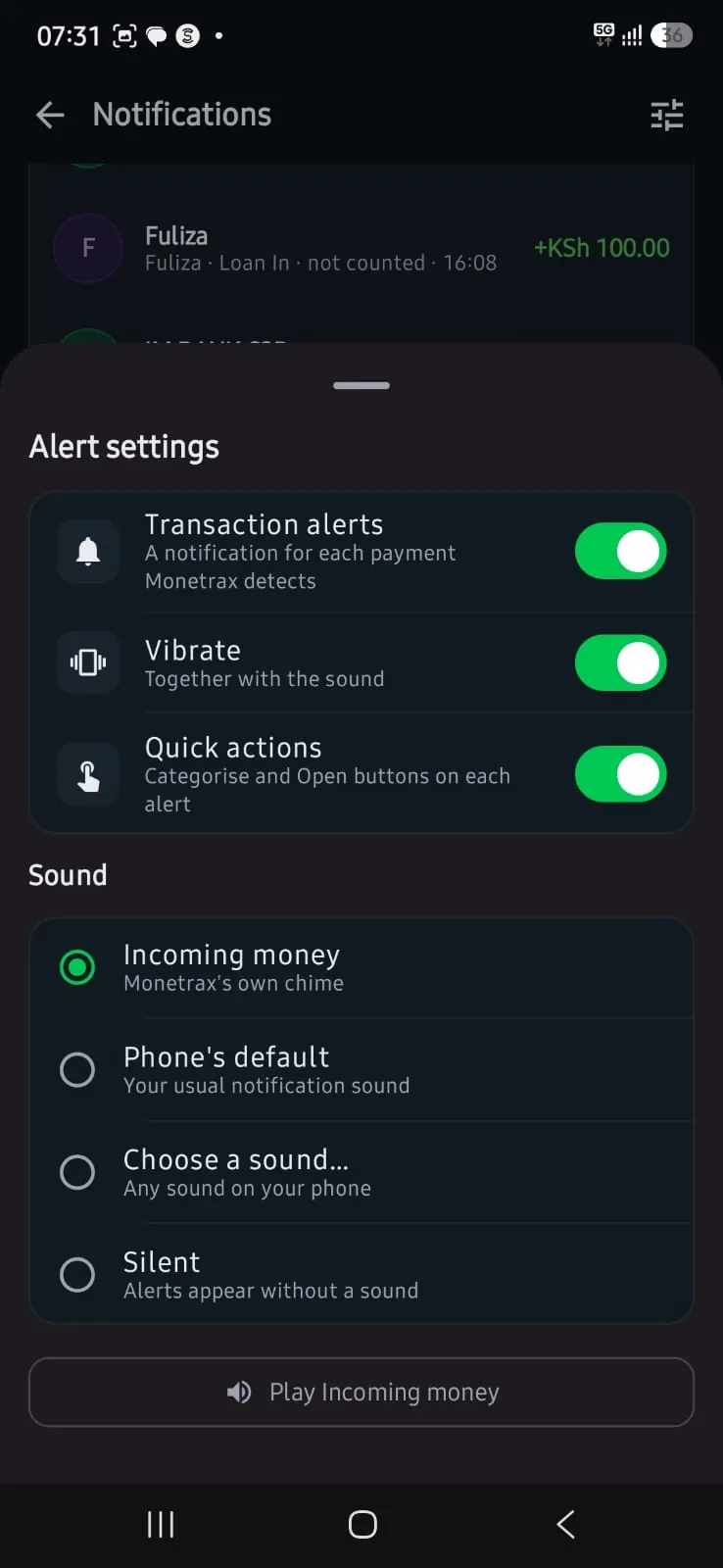
Turn SMS reading off any time, lock the app with your fingerprint, and delete everything from Android settings.
Everything inside
Built for how money moves in Kenya
Reads M-Pesa and bank SMS
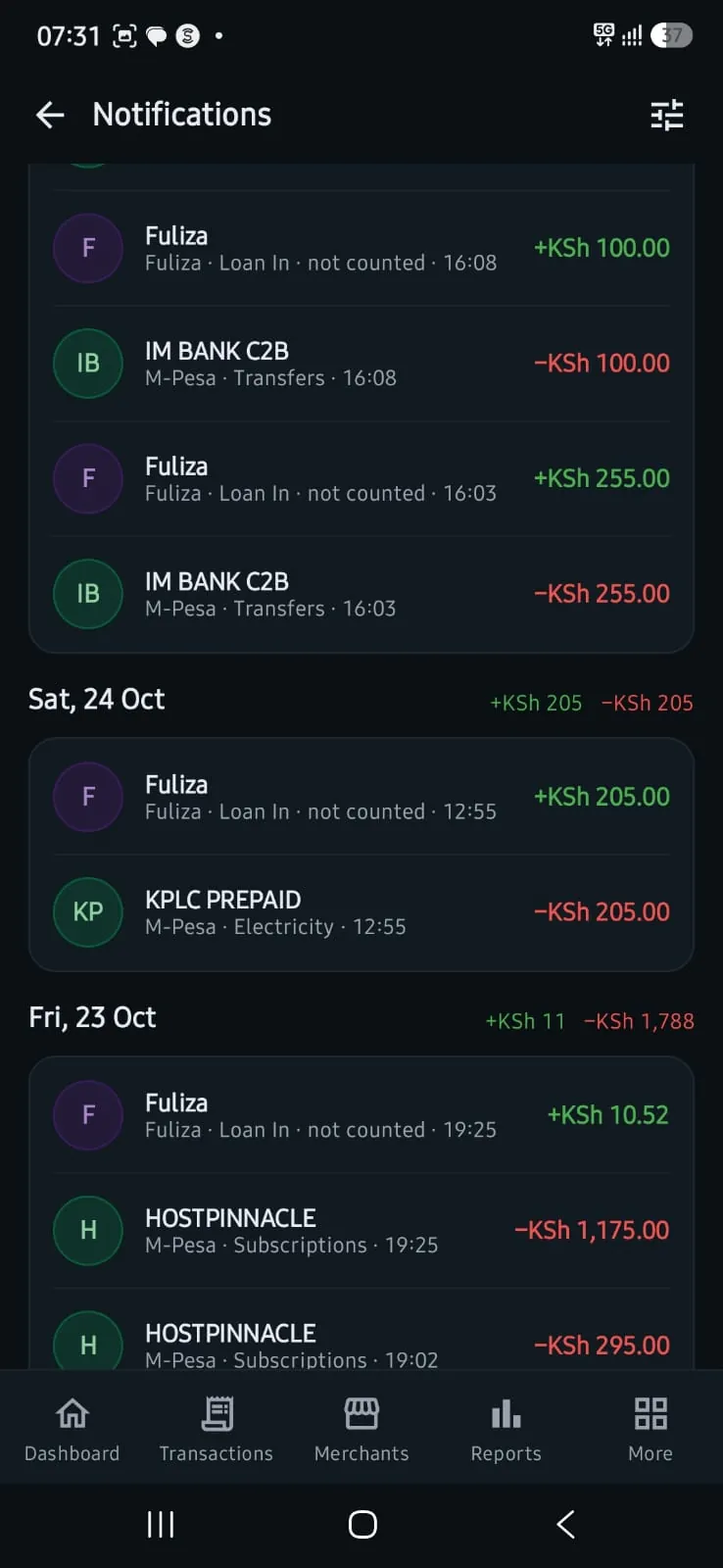
Picks up M-Pesa, Fuliza, M-Shwari and bank alerts already on your phone, and new ones the moment they arrive.
Counts only real money
Betting adverts, loan offers, codes and fake "You have received" texts from personal numbers are left out of your totals.
Fuliza and loans kept apart
Borrowed money, savings and moves between your own accounts are shown, but never counted as income or spending.
Reports that explain themselves
See money in, money out, your biggest day and the days and times you spend most, for any period and either SIM.
Bills and regular payments
Monetrax spots payments that repeat, like loans, rent or subscriptions, shows what's due in the next 30 days, and can remind you before each one.
Merchants and people
See who you pay most, and Monetrax remembers the category you choose for each one.
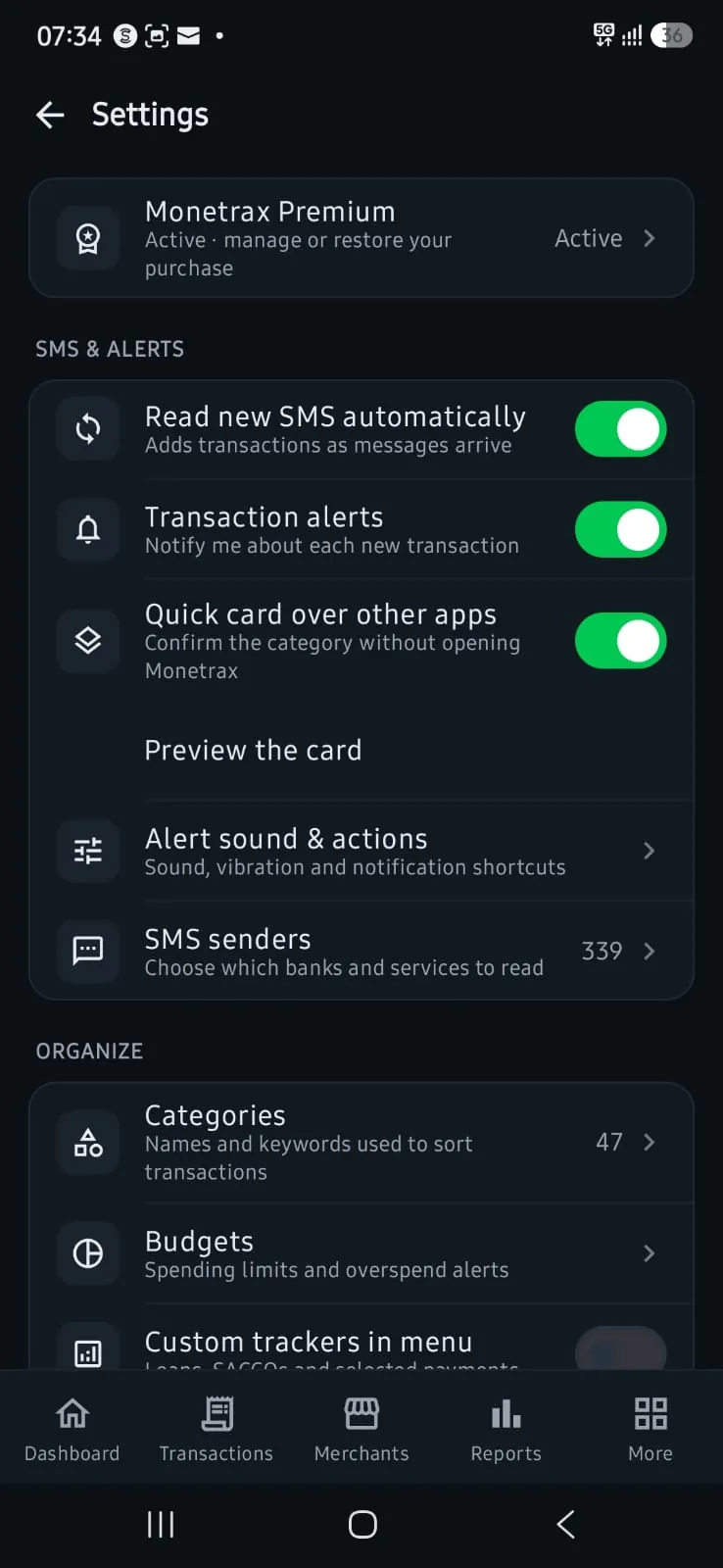
Quick card over other apps
When a payment arrives, confirm its category from a small card without opening Monetrax.
Paste or share messages
Add messages from WhatsApp, email or an old phone by pasting or sharing them into Monetrax.
Receipt scanning
Take a photo of a receipt and Monetrax reads the merchant, amounts and VAT for you.
Wallets for cash and floats
Keep money set aside for a purpose, like an office float, record where top-ups come from, and move money between wallets.
Budgets and trackersPremium
Set limits by category, see what you can spend each day, and follow a loan, a SACCO, a merchant or a person in one place.
All your receiptsPremium
Every receipt you've scanned or attached, with its amount and VAT, under Reports.
VAT and KRA summariesPremium
Estimate VAT from your payments and export summaries your accountant can use.
Exports and backup
Export PDF or Excel files with an optional password, and back up to your own Google Drive.
Move to a new phone
Scan a code on your new phone and everything moves across over your Wi-Fi, encrypted.
A look inside
The app, screen by screen
Plans
Start free. Upgrade when you need more.
Free
Everything you need to see where your money goes.
- Reads your M-Pesa and bank SMS automatically
- Your last 3 months of transactions and reports
- Bills, wallets and pasting messages
- 1 receipt scan a day
- Shows ads. Watch one to open a Premium feature for an hour
Premium
Monthly, yearly, or pay once for life, through Google Play.
- Your full history, with no 3-month limit
- Budgets, trackers and every merchant and contact
- All your scanned receipts in one place
- VAT and tax tools
- Up to 100 receipt scans a day
- No ads
Prices are shown in Google Play before you pay, in your currency.
Questions
Common questions
What is Monetrax?
Monetrax is an Android app that reads your M-Pesa and bank transaction SMS and turns them into a clear money dashboard with reports, budgets, bills, merchant insights and PDF or Excel exports. You don't need a bank login.
Does Monetrax work with M-Pesa?
Yes. It reads M-Pesa messages for money sent and received, Paybill, Buy Goods, withdrawals, deposits, airtime, reversals, Fuliza and M-Shwari, and turns each one into a record with the right category.
Which banks does Monetrax support?
It reads transaction alerts from banks such as KCB, Equity, Co-op, Absa, NCBA, I&M, Stanbic and DTB, including card payments in other currencies. Support depends on the format each bank uses.
Will betting adverts or fake M-Pesa texts be counted?
No. Messages that copy M-Pesa wording, like betting bonuses, loan offers and "You have received" texts from personal numbers, are not counted as money in your totals.
Does Monetrax send my SMS to the internet?
No. Your SMS and transaction history stay on your phone. Only optional features send limited data: ads on the free plan, purchase checks, receipt scanning and Google Drive backup if you turn it on.
Is Monetrax free?
Yes. The free plan shows your last 3 months, includes 1 receipt scan a day, and has ads. Premium, monthly, yearly or a one-time payment, gives you your full history, budgets, your receipts in one place, tax tools, up to 100 scans a day and no ads.
Can I use Monetrax without giving SMS access?
Yes. You can paste or share messages into Monetrax yourself, and it reads them the same way.
How do I move Monetrax to a new phone?
Open "Move to a new phone" on your old phone and scan its code with the new one. Your data moves over your Wi-Fi, encrypted. You can also restore from a Google Drive backup.
Start with the messages already on your phone
Free on Google Play. Your first dashboard is ready in a minute.
